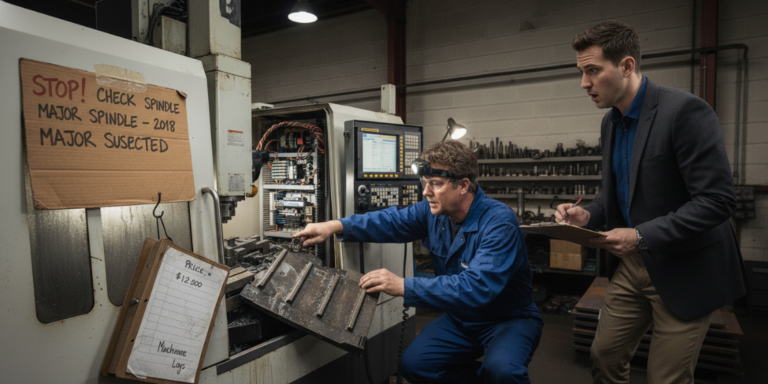
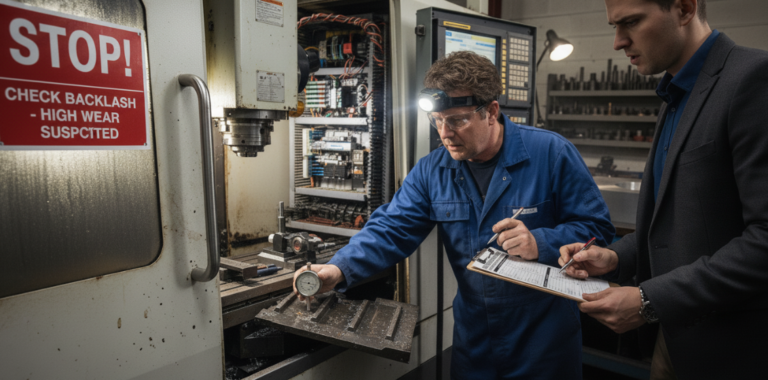
Buying a used CNC machine can be one of the smartest investments for a manufacturing business — or one of the most expensive mistakes.
In 2026, the global market for used CNC machines is more active than ever. Machines are moving across borders, factories are upgrading faster, and buyers are competing for good-quality equipment. The problem? Many buyers still inspect used CNC machines the wrong way — focusing on looks instead of what truly matters.
This guide is written to help you inspect a used CNC machine like a professional, even if you’re not an expert technician.
No sales talk. No dealer bias. Just practical, real-world guidance.
Why Proper Inspection of a Used CNC Machine Matters
A used CNC machine is not just a machine — it’s a system of mechanical, electrical, and software components working together.
A machine that looks clean can still:
- Have worn ball screws
- Suffer from spindle fatigue
- Hide accuracy problems
- Require expensive repairs within months
A proper inspection helps you:
- Avoid hidden costs
- Negotiate better prices
- Choose machines with longer remaining life
- Reduce downtime after installation
Step 1: Understand the Machine’s Background (Before You Visit)
Before touching the machine, collect as much history as possible.
Ask for:
- Year of manufacture
- Machine brand and model
- Controller type (Fanuc, Siemens, Mitsubishi, etc.)
- Original application (job shop, mass production, mold making)
- Reason for sale
- Maintenance records (if available)
💡 Tip:
A used CNC machine from a low-volume job shop usually has less wear than one from a 24/7 production environment.
Step 2: Visual Inspection – First Impressions Matter (But Don’t Stop There)
Start with a slow visual inspection.
Check:
- Overall cleanliness (excessive oil leaks = warning sign)
- Rust on guideways or table
- Cracks or welding marks on the machine body
- Missing covers, guards, or panels
A clean machine doesn’t guarantee quality — but a neglected one often indicates poor maintenance.
Step 3: Inspect the Machine Structure & Guideways
The machine’s structure is its foundation. If this is compromised, accuracy will suffer.
What to inspect:
- Linear guideways for scoring or uneven wear
- Turcite layers (if applicable)
- Axis movement smoothness
Simple test:
Jog each axis slowly and listen.
Unusual noise, vibration, or jerky movement is a red flag.
Step 4: Ball Screws & Backlash Testing (Critical for Accuracy)
Ball screws are one of the most expensive components to replace in a used CNC machine.
How to inspect:
- Listen for knocking sounds during axis movement
- Check backlash using a dial indicator
- Compare backlash values across axes
💡 Even small backlash errors can lead to poor surface finish and rejected parts.
Step 5: Spindle Health Check (Do NOT Skip This)
The spindle is the heart of any CNC machine.
Inspect:
- Spindle noise at low and high RPM
- Excessive vibration
- Tool holder clamping force
- Spindle warm-up behavior
Warning signs:
- Whining noise
- Overheating
- Visible runout
🔧 Spindle replacement is costly — always treat spindle issues seriously when evaluating a used CNC machine.
Step 6: Controller & Electrical System Inspection
Modern used CNC machines rely heavily on electronics and software.
Check:
- Controller boot-up time
- Error messages or alarms
- Display clarity
- Button and keypad responsiveness
Also inspect:
- Electrical cabinets for dust, oil, or burn marks
- Servo drives and power supplies
- Wiring quality and modifications
💡 Machines with original wiring are usually more reliable than heavily modified ones.
Step 7: Test Machine Accuracy (The Most Honest Test)
Accuracy tests reveal what visual inspection cannot.
Recommended tests:
- Circular interpolation test
- Straightness test
- Repeatability test
- Test cuts (if possible)
Even a basic test cut can tell you more than hours of discussion.
Step 8: Check Lubrication & Cooling Systems
Poor lubrication shortens machine life.
Inspect:
- Automatic lubrication system
- Oil flow to guideways and ball screws
- Coolant pumps and hoses
- Signs of dry running
A well-maintained lubrication system often indicates responsible ownership.
Step 9: Tool Changer & Accessories
If the machine has an ATC (Automatic Tool Changer):
- Test tool change cycles
- Listen for abnormal noise
- Check gripper wear
- Verify tool magazine alignment
Also confirm included accessories:
- Chip conveyor
- Coolant system
- Probes or rotary tables
Accessories add value — but only if they work.
Step 10: Software, Parameters & Backup
A used CNC machine without proper data backup can become unusable.
Confirm:
- Parameter backups
- Ladder logic access (if required)
- Compatibility with modern CAD/CAM software
💡 Always request a full data backup before finalizing the purchase.
Common Mistakes Buyers Make When Inspecting a Used CNC Machine
Avoid these frequent errors:
- Trusting appearance over performance
- Skipping test cuts
- Ignoring backlash measurements
- Not checking controller compatibility
- Underestimating repair costs
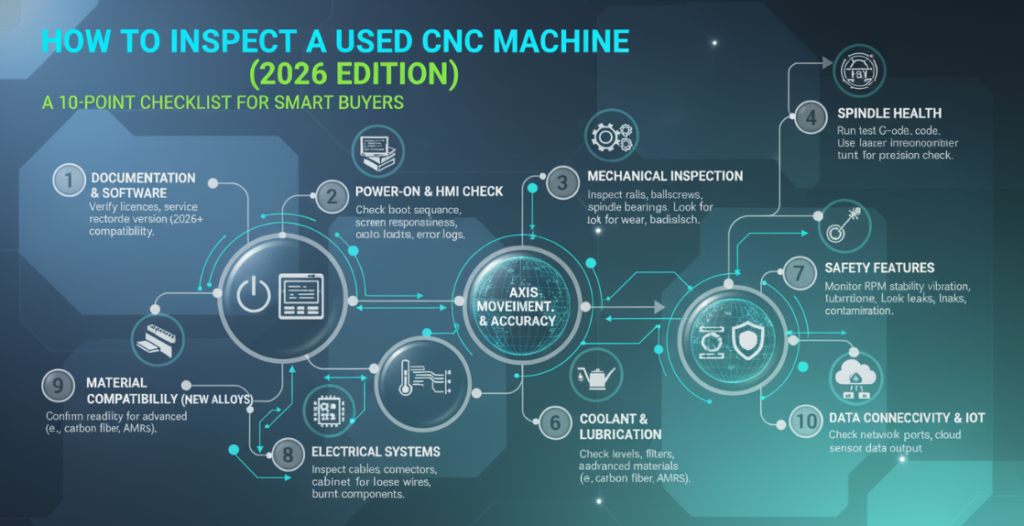
Used CNC Machine Inspection Checklist (Quick Summary)
Before buying, ensure you have checked:
- ✔ Machine history
- ✔ Guideways & structure
- ✔ Ball screws & backlash
- ✔ Spindle condition
- ✔ Controller & electronics
- ✔ Accuracy & test cuts
- ✔ Lubrication & cooling
- ✔ Tool changer & accessories
- ✔ Software & backups
Final Thoughts: Buy Smart, Not Fast
In 2026, buying a used CNC machine is no longer about finding the cheapest option — it’s about finding the right machine with predictable performance.
A careful inspection:
- Protects your investment
- Improves long-term productivity
- Reduces unexpected downtime
If you’re patient, methodical, and informed, a used CNC machine can deliver exceptional value for years.
Buying a used CNC machine can be one of the smartest investments for a manufacturing business — or one of the most expensive mistakes.
In 2026, the global market for used CNC machines is more active than ever. Machines are moving across borders, factories are upgrading faster, and buyers are competing for good-quality equipment. The problem? Many buyers still inspect used CNC machines the wrong way — focusing on looks instead of what truly matters.
This guide is written to help you inspect a used CNC machine like a professional, even if you’re not an expert technician.
No sales talk. No dealer bias. Just practical, real-world guidance.
Why Proper Inspection of a Used CNC Machine Matters
A used CNC machine is not just a machine — it’s a system of mechanical, electrical, and software components working together.
A machine that looks clean can still:
- Have worn ball screws
- Suffer from spindle fatigue
- Hide accuracy problems
- Require expensive repairs within months
A proper inspection helps you:
- Avoid hidden costs
- Negotiate better prices
- Choose machines with longer remaining life
- Reduce downtime after installation
Step 1: Understand the Machine’s Background (Before You Visit)
Before touching the machine, collect as much history as possible.
Ask for:
- Year of manufacture
- Machine brand and model
- Controller type (Fanuc, Siemens, Mitsubishi, etc.)
- Original application (job shop, mass production, mold making)
- Reason for sale
- Maintenance records (if available)
💡 Tip:
A used CNC machine from a low-volume job shop usually has less wear than one from a 24/7 production environment.
Step 2: Visual Inspection – First Impressions Matter (But Don’t Stop There)
Start with a slow visual inspection.
Check:
- Overall cleanliness (excessive oil leaks = warning sign)
- Rust on guideways or table
- Cracks or welding marks on the machine body
- Missing covers, guards, or panels
A clean machine doesn’t guarantee quality — but a neglected one often indicates poor maintenance.
Step 3: Inspect the Machine Structure & Guideways
The machine’s structure is its foundation. If this is compromised, accuracy will suffer.
What to inspect:
- Linear guideways for scoring or uneven wear
- Turcite layers (if applicable)
- Axis movement smoothness
Simple test:
Jog each axis slowly and listen.
Unusual noise, vibration, or jerky movement is a red flag.
Step 4: Ball Screws & Backlash Testing (Critical for Accuracy)
Ball screws are one of the most expensive components to replace in a used CNC machine.
How to inspect:
- Listen for knocking sounds during axis movement
- Check backlash using a dial indicator
- Compare backlash values across axes
💡 Even small backlash errors can lead to poor surface finish and rejected parts.
Step 5: Spindle Health Check (Do NOT Skip This)
The spindle is the heart of any CNC machine.
Inspect:
- Spindle noise at low and high RPM
- Excessive vibration
- Tool holder clamping force
- Spindle warm-up behavior
Warning signs:
- Whining noise
- Overheating
- Visible runout
🔧 Spindle replacement is costly — always treat spindle issues seriously when evaluating a used CNC machine.
Step 6: Controller & Electrical System Inspection
Modern used CNC machines rely heavily on electronics and software.
Check:
- Controller boot-up time
- Error messages or alarms
- Display clarity
- Button and keypad responsiveness
Also inspect:
- Electrical cabinets for dust, oil, or burn marks
- Servo drives and power supplies
- Wiring quality and modifications
💡 Machines with original wiring are usually more reliable than heavily modified ones.
Step 7: Test Machine Accuracy (The Most Honest Test)
Accuracy tests reveal what visual inspection cannot.
Recommended tests:
- Circular interpolation test
- Straightness test
- Repeatability test
- Test cuts (if possible)
Even a basic test cut can tell you more than hours of discussion.
Step 8: Check Lubrication & Cooling Systems
Poor lubrication shortens machine life.
Inspect:
- Automatic lubrication system
- Oil flow to guideways and ball screws
- Coolant pumps and hoses
- Signs of dry running
A well-maintained lubrication system often indicates responsible ownership.
Step 9: Tool Changer & Accessories
If the machine has an ATC (Automatic Tool Changer):
- Test tool change cycles
- Listen for abnormal noise
- Check gripper wear
- Verify tool magazine alignment
Also confirm included accessories:
- Chip conveyor
- Coolant system
- Probes or rotary tables
Accessories add value — but only if they work.
Step 10: Software, Parameters & Backup
A used CNC machine without proper data backup can become unusable.
Confirm:
- Parameter backups
- Ladder logic access (if required)
- Compatibility with modern CAD/CAM software
💡 Always request a full data backup before finalizing the purchase.
Common Mistakes Buyers Make When Inspecting a Used CNC Machine
Avoid these frequent errors:
- Trusting appearance over performance
- Skipping test cuts
- Ignoring backlash measurements
- Not checking controller compatibility
- Underestimating repair costs
Used CNC Machine Inspection Checklist (Quick Summary)
Before buying, ensure you have checked:
- ✔ Machine history
- ✔ Guideways & structure
- ✔ Ball screws & backlash
- ✔ Spindle condition
- ✔ Controller & electronics
- ✔ Accuracy & test cuts
- ✔ Lubrication & cooling
- ✔ Tool changer & accessories
- ✔ Software & backups
Final Thoughts: Buy Smart, Not Fast
In 2026, buying a used CNC machine is no longer about finding the cheapest option — it’s about finding the right machine with predictable performance.
A careful inspection:
- Protects your investment
- Improves long-term productivity
- Reduces unexpected downtime
If you’re patient, methodical, and informed, a used CNC machine can deliver exceptional value for years.